
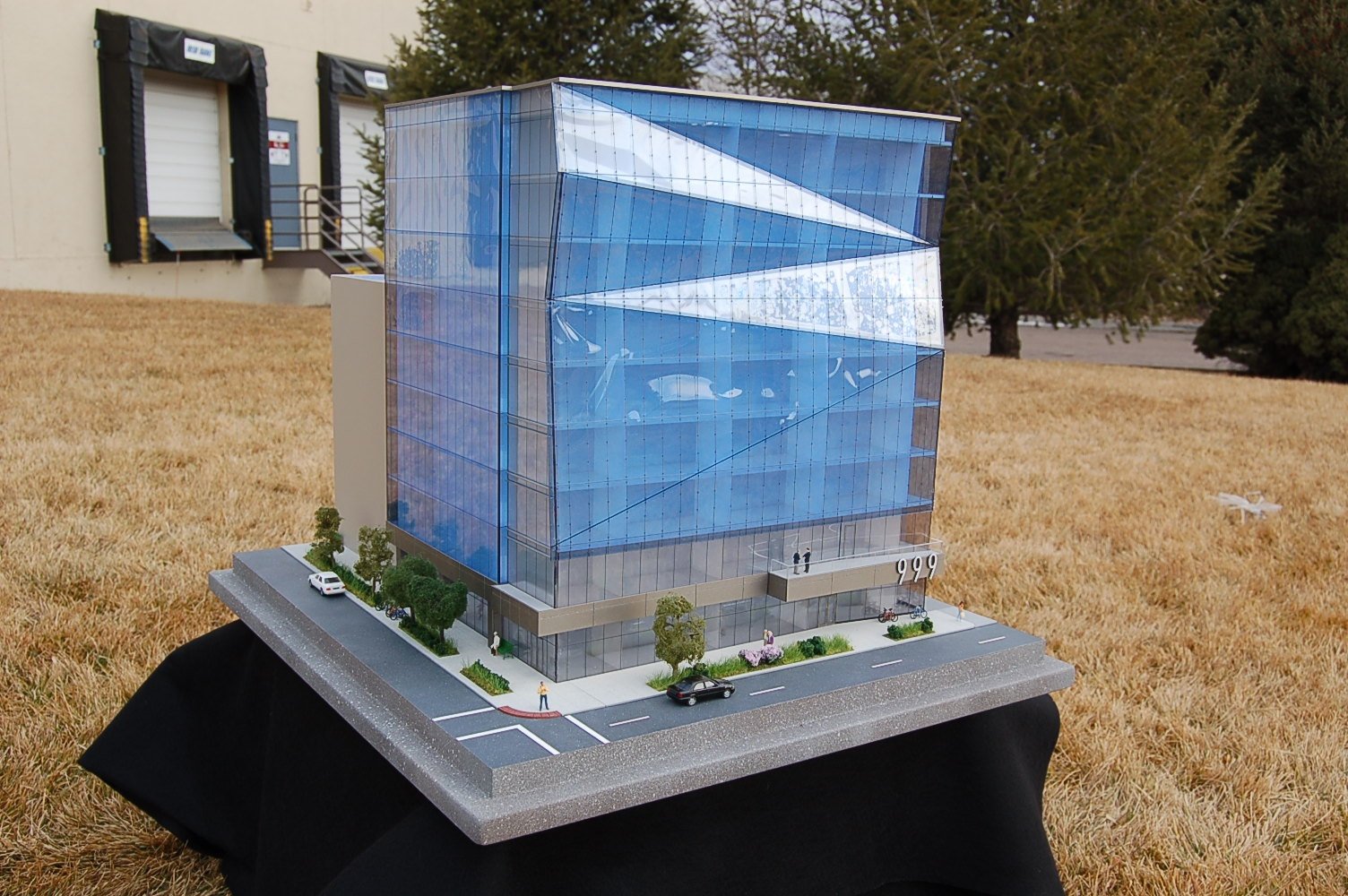
The right architectural model scale starts with the building or site you need to show and the space available for the display. A close view of one building needs a different scale from a broad campus plan. Before choosing a familiar ratio, check the model’s footprint, its smallest important features and how people will view it.
Compare the footprint before choosing the detail
If the scale is expressed as 1 inch = a number of feet, divide the real dimension in feet by that number to get model inches. Check both width and depth. The building’s footprint is only part of the display: surrounding streets, terrain, labels, a border, base or cover may need additional room.
For an illustrative 240 × 120 foot building:
- At 1 inch = 8 feet (1:96): the building alone occupies 30 × 15 inches.
- At 1 inch = 16 feet (1:192): the building alone occupies 15 × 7.5 inches.
Doubling the number of real feet represented by each model inch halves each model dimension. The second option uses a quarter of the building’s model footprint area, but every feature also becomes smaller. These calculations illustrate the tradeoff; they are not default scales for every architectural commission.
Check the smallest feature the audience must recognize
A window, entrance, balcony or walkway needs enough space to read from the expected viewing distance. An 8 foot wide opening is 1 inch wide at 1 inch = 8 feet, but only half an inch wide at 1 inch = 16 feet. That calculation helps frame the discussion; it does not promise that every detail can be fabricated or read at that size.
Decide which features need close inspection and which provide context. A simple study model may use building masses to compare placement. A presentation model may need recognizable facade details, landscape and lighting. Changing the finish does not change the scale, and adding detail cannot replace the room a small feature needs. Our guide to model types explains those differences.
Real architectural model scales, chosen for different briefs
- Denver 999 uses 1 inch = 8 feet (1:96). The 20 × 24 inch model gave brokers a tabletop view of the office building while it was under construction.
- HOK’s competition site model uses 1 inch = 100 feet (1:1,200). Its white finish brings the main building, parking garage and existing buildings into a shared site view.
- Downtown Denver uses 1 inch = 50 feet (1:600). Its 8 × 10 foot display gives East West Partners and visiting planners a broad view of the area.
- Pepperdine’s campus model uses 1 inch = 4 feet (1:48). The 80 × 116 inch display supported a fundraising presentation with model lighting coordinated to audiovisual content.
These scales reflect different subjects, footprints and presentation needs. They are examples, not a rule that every office, campus or city model should use the same ratio.
Decide what belongs in the model
Adding neighboring buildings and roads expands the area that must fit on the base. Keep the boundary purposeful: include the surroundings the audience needs, rather than reducing the main subject just to fit more context. The architectural site model guide explains what that setting can show.
If the building’s interior needs a closer view than the overall site, discuss an interior or sectional display. When the landforms lead the presentation, our terrain scale and vertical exaggeration guide addresses relief and regional coverage.
Bring the display and delivery limits into the brief
Measure the usable display surface and the room around it. Will visitors view the model from one side or gather around it? Include the base, cover and any separate controls when discussing overall size. Check doors, elevators and travel requirements before settling the footprint; our shipping and transport guide covers those practical questions.
To discuss a custom architectural model, send:
- The building or site boundary, with real dimensions.
- The usable model surface and the maximum overall display dimensions.
- Plans, elevations, 3D files, renderings or photographs you already have.
- The audience, viewing distance and smallest features people must recognize.
- The presentation date, display location and whether the model will travel.
You do not need to settle the scale before starting the conversation. Those inputs help us compare the options around the model’s purpose.